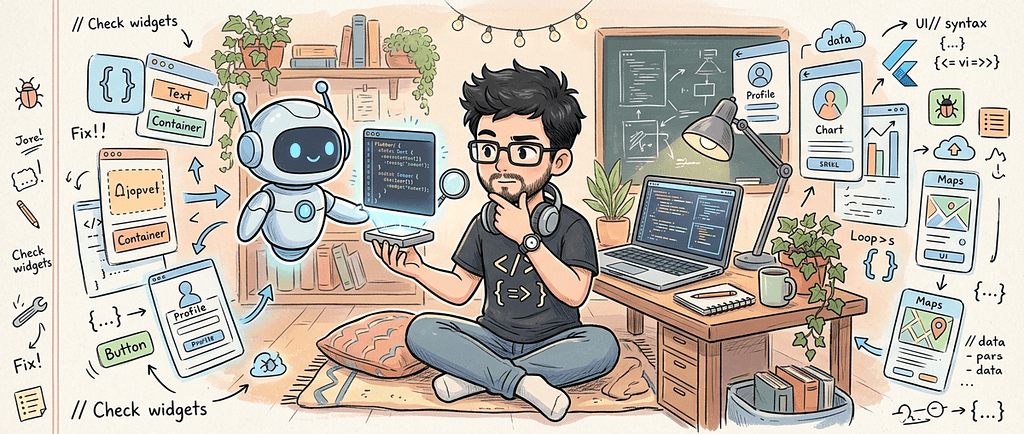

I realized something strange while working on my latest Flutter project: I was writing less code manually than ever before.
I’m building a production-style Flutter application, and over the past months my workflow has quietly changed shape. Claude Code, Ollama, and a rotating cast of coding and reasoning models have become permanent fixtures in how I build screens, wire up APIs, refactor messy files, and chase down bugs. Widgets that used to take me twenty minutes to scaffold now take two. Boilerplate that used to make me sigh out loud barely registers anymore.
For a while, that felt like enough of a story on its own: AI made me faster. That’s true, but it’s not interesting. Everyone already knows AI can generate code quickly. What I didn’t expect was the second half of the experience.
The less code I wrote manually, the more obvious another problem became: I still had to decide what code should exist in the first place.
That distinction turned out to be the actual story. Not “AI vs. developers,” but a quieter, more useful question:
If AI can write a large portion of your Flutter code, what parts of software engineering still require the developer?
This article is my attempt to answer that honestly, using what actually happened while building it.
What AI was genuinely great at
Before I get into where things got complicated, credit where it’s due. AI tools were not a gimmick in this project. They were a real productivity multiplier, and it would be dishonest to pretend otherwise.
UI implementation was the most obvious win. Cards, forms, list layouts, loading/error/empty states, responsive tweaks — the kind of Flutter widget work that is conceptually simple but tedious to type out by hand. I could describe a screen and get a reasonable first draft almost instantly, then spend my time adjusting spacing, states, and edge cases instead of typing Column(children: [...]) for the hundredth time.
Boilerplate is where the time savings were most dramatic. Dart models, serialization logic, constructors, copyWith methods, API response wrappers, state classes for BLoCs — this is code that's necessary but rarely interesting. AI handled the vast majority of it correctly on the first or second try.
Refactoring benefited enormously too. Extracting a widget out of a bloated build method, renaming variables consistently across a file, collapsing duplicated logic into a shared helper, reorganizing a folder structure — these are mechanical tasks with clear intent, and AI is very good at mechanical tasks with clear intent.
Debugging was maybe the most satisfying use case. Feed it a stack trace, a compiler error, or a chunk of failing code, and it would usually shorten the gap between “I have an error” and “I have several plausible fixes to try.” Not always the right fix — but a strong starting point, which is often the hardest part of debugging when you’re staring at an unfamiliar exception.
None of this required me to lower my standards. It just removed friction from the parts of development that were never where the real thinking happened.
That’s exactly why the next part surprised me.
The first problem: AI doesn’t know the whole product
AI sees the context you give it. It does not automatically understand the entire product — the business requirements behind a feature, the assumptions baked into the backend, the team’s unwritten conventions, or the reason a seemingly odd piece of code exists on purpose.
More than once, I asked for a feature implementation and got back something that was technically correct in isolation but wrong for the product specifically. The code compiled, the logic was sound, and it still didn’t fit — because it didn’t know about a constraint that lived only in my head, or in a Slack message from three weeks earlier, or in a decision we’d made and never documented anywhere the model could see.
A good example of this is user progress tracking. Ask an AI agent to “implement a screen showing course completion” and it will happily generate something that calculates completion as a simple percentage of finished lessons — clean, correct-looking Dart, no bugs. What it can’t know is that in our product, a course only counts as “complete” once a quiz has been passed, not just watched, and that a handful of lesson types are excluded from the calculation entirely for reasons that go back to a pricing decision made months earlier. None of that lives in the codebase in an obvious way. It lives in institutional memory. The generated screen worked perfectly and was still wrong, and no amount of re-prompting would have fixed it without me supplying that missing business rule myself.
The pattern was consistent: AI could produce a correct answer, but not necessarily the correct answer for this product, at this stage, with this history. Supplying that missing context turned out to be one of my actual jobs — not a temporary inconvenience I’d eventually prompt my way out of.
Architecture was still my responsibility
This is where the gap between “writing code” and “engineering a system” became impossible to ignore.
The app I’m building uses a fairly pragmatic setup: Redux for global application state, lightweight RxDart/BehaviorSubject-based BLoCs for screen-level state, a set of reusable common widgets, and centralized API/service utilities. I’m not presenting this as the “correct” Flutter architecture — it isn’t a purist’s dream, and I’m sure someone could argue for something cleaner. It’s the architecture that fit this project’s complexity, this team’s familiarity, and this app’s growth trajectory.
Ask an AI model for architectural advice and it will happily suggest Clean Architecture, Riverpod, BLoC, Provider, MVVM, repository patterns, use-case layers, dependency injection frameworks — often several of these in the same conversation, presented with equal confidence. More options is not the same thing as a better decision.
The important decision was never asking AI to generate an architecture. It was deciding what architecture made sense for this project — and that requires knowing things no model has access to: how complex the app is actually going to get, how comfortable the team is with a given pattern, what the maintenance cost looks like six months from now, where state should live, and where the boundaries between components should sit.
AI can implement an architecture extremely well once you’ve chosen one. It cannot choose it for you in any meaningful sense, because choosing it isn’t a coding problem.
Background services exposed the limits of generated code
If UI work was where AI shined, background services were where its limits became unmistakable.
“Write a Flutter background service” sounds like a single request. It isn’t. The real problem involves Android’s lifecycle behavior, the difference between foreground and background execution, permission handling, background isolates, service lifecycle management, continuous location updates, API calls happening outside the normal app context, what happens when the app is terminated, battery optimization restrictions, and device-specific quirks that vary across manufacturers and OS versions.
The clearest case of this was a background location-tracking feature. The first AI-generated version was structurally reasonable: a foreground service, a periodic timer, a callback that grabbed the current position and pushed it to an API. It compiled cleanly and worked fine in testing on a plugged-in emulator. On an actual phone, left in someone’s pocket for a few hours, it fell apart in ways that had nothing to do with the Dart code itself — the OS killed the service under battery optimization, updates silently stopped arriving with no error to catch, and the handoff between the background isolate and the main app lost state on certain restarts. None of that shows up by reading the code. It only shows up by carrying the phone around and watching it fail.
AI could generate something that looked like a complete implementation almost immediately — and that’s exactly the trap. A plausible implementation is not the same thing as a reliable one. The generated code compiled, ran in the emulator, and behaved reasonably in the short window I tested it. It was only once I tested on real devices, over longer periods, under real battery and OS conditions, that the gaps showed up, and the service needed real restructuring to behave correctly.
The lesson I keep coming back to:
AI can generate an implementation. Real devices decide whether the implementation actually works.
No amount of prompt refinement replaces that verification step. It has to happen on hardware, over time, under conditions a model can’t simulate from a text description.
APIs changed. Reality changed with them.
Backend APIs are not static, and this project was no exception. Response shapes changed, structures were restructured, and existing models suddenly no longer matched what the server was sending.
A recurring one: a nested field that used to always be present started coming back as null for a subset of records, because the backend team introduced a new content type that didn’t populate it the same way. AI could fix the immediate symptom in seconds — make the field nullable, add a fallback, stop the crash. But the real question was upstream of that: was this a temporary backend bug that shouldn’t be permanently accommodated in the client, or a genuine new state the model needed to represent going forward? Getting that wrong either way has consequences — either baking a workaround around a bug that later gets fixed, or treating a real new state as an edge case forever. That call required knowing the backend team’s roadmap, not just the shape of the JSON.
AI is genuinely excellent at the mechanical side of this problem: “this JSON no longer matches this model, update the model.” Point it at the mismatch and it will usually fix it fast and correctly.
But that’s not actually the interesting question. The interesting question is: should we adapt the model, change the API layer, introduce a compatibility shim, or redesign the integration entirely? Each of those has different implications for how much future breakage we’re signing up for, how much technical debt we’re accepting, and how the rest of the app depends on that data shape. That’s not a syntax decision. That’s an engineering tradeoff, and it still sits squarely on my desk.
AI can solve the wrong problem extremely well
This might be the failure mode I’ve had to watch for most carefully.
You ask: “Fix this widget.” AI fixes the widget. Job done — except sometimes the widget was never the actual problem. Sometimes state is owned by the wrong layer, rebuilds are firing unnecessarily because of a subscription that shouldn’t exist, the API response itself is malformed, a lifecycle isn’t being managed correctly, a service is running somewhere it shouldn’t be, or the whole abstraction the widget sits inside is the wrong one.
AI optimizes the solution inside the boundaries you give it. It doesn’t step back and question whether those boundaries are correct — it trusts the frame of the request. If the frame is wrong, you can end up with a beautifully implemented, well-tested, cleanly written piece of the wrong architecture. It will pass review at a glance precisely because the code itself looks good.
Catching that requires knowing the system well enough to notice when a fix is a patch on a symptom rather than a correction of a cause. That judgment doesn’t come from the prompt. It comes from understanding the app.
The developer became more of a reviewer
The day-to-day rhythm of building it changed noticeably. The old loop was:
write code → debug → modify → repeat
The new loop looks more like:
define the problem → ask AI → review → test → reject/modify → integrate → verify
I still write plenty of code by hand — this isn’t a story about typing zero characters. But a larger share of my time now goes into being an architect, a reviewer, a debugger, a product interpreter, and a decision-maker, rather than purely a typist. That doesn’t mean developers stop coding. It means the ratio between typing and thinking changes, and thinking doesn’t get any faster just because typing did.
Context engineering became a real skill
One of the clearest lessons from this project: the biggest productivity difference wasn’t always which model I used. It was how well I could describe the system the model was operating inside.
A vague prompt like:
“Create this Flutter screen”
produces a generic, forgettable result. A prompt like:
“Create this screen using our existing AppScaffold, AppTypography, ResColors, the reusable widgets already in the project, the RxDart BLoC pattern we use for screen-level state, the existing API layer, and current project conventions."
produces something that actually fits the codebase, first try more often than not. The model didn’t get smarter between those two prompts. I gave it more of the context it needed to act like it understood the project — because it didn’t, until I supplied that understanding myself.
This turned into a real, ongoing skill: knowing what context matters, how to state constraints precisely, and how to hand a model just enough of the project’s shape that it stops guessing.
The danger of accepting AI code too quickly
A few failure modes showed up repeatedly enough that I now watch for them by default:
Overengineering. AI sometimes introduces abstractions — extra interfaces, extra layers, extra configurability — that the current problem doesn’t need yet.
Duplication. It doesn’t always recognize that a reusable widget or utility already exists somewhere else in the project, so it happily writes a near-identical one.
Inconsistent patterns. One screen ends up built one way, another screen built a completely different way, because each was generated in a separate session without shared context.
Hidden lifecycle problems. Streams, subscriptions, controllers, isolates, background services, timers — anything with a lifecycle is an easy place for a subtle leak or double-subscription to slip through, because the code looks correct at a glance.
Code that compiles but shouldn’t exist. This is the one that matters most. A successful build tells you almost nothing about whether the implementation is actually the right one.
None of these are reasons to distrust AI wholesale. They’re reasons to treat generated code the way you’d treat a pull request from a fast, capable, but context-blind contributor: read it before you merge it.
What I still had to do myself
Stripped down to the essentials, here’s what stayed on my plate no matter how good the generated code got:
I still had to understand the product. AI doesn’t talk to stakeholders for me, and it doesn’t know what the business actually needs next.
I still had to make architecture decisions. AI can recommend options. I decide which one this project can live with.
I still had to test on real devices. Especially anything touching lifecycle or background behavior — no simulation replaces that.
I still had to debug reality. Logs and real-world behavior don’t always match the assumptions baked into a prompt.
I still had to review every important change. Generated code is not automatically trusted code just because it compiles.
I still had to decide when not to use AI. Some problems, especially small, highly specific ones with little surrounding context, are genuinely faster to just write by hand.
My current AI-assisted Flutter workflow
In practice, the loop looks something like this:
Requirement
↓
Understand the problem myself
↓
Define constraints
↓
Give AI project context
↓
Generate/modify implementation
↓
Review the diff
↓
Run the app
↓
Test real behavior
↓
Debug
↓
Refactor
↓
Keep or reject the implementation
AI sits inside that loop. It hasn’t replaced the loop. The understanding, the constraints, the review, and the final judgment call are still mine at every stage.
What AI changed for me
Before AI-assisted tooling, my default question when starting something new was: how do I write this?
Now it’s: what is the right thing to build?
The positives are real. Faster experimentation, less boilerplate, faster UI iteration, easier refactoring, and much lower friction when I have to work in an unfamiliar part of the codebase.
The negatives are just as real, and worth naming honestly. It’s easier to create code that didn’t need to exist. Easier to move faster than your own understanding of the system. Easier to accept an implementation without fully internalizing what it’s doing. And easier, if you’re not careful, to accumulate technical debt quietly, one accepted suggestion at a time.
Final conclusion
AI didn’t remove my job as a Flutter developer. It removed some of the typing.
And that exposed something important: the valuable part of software development was never just typing the code. It was understanding the problem, designing the system, making tradeoffs, recognizing failure modes, and knowing when generated code should be trusted — or rejected.
The future developer may write less code. That doesn’t mean they’ll need to understand less.
They may actually need to understand more.