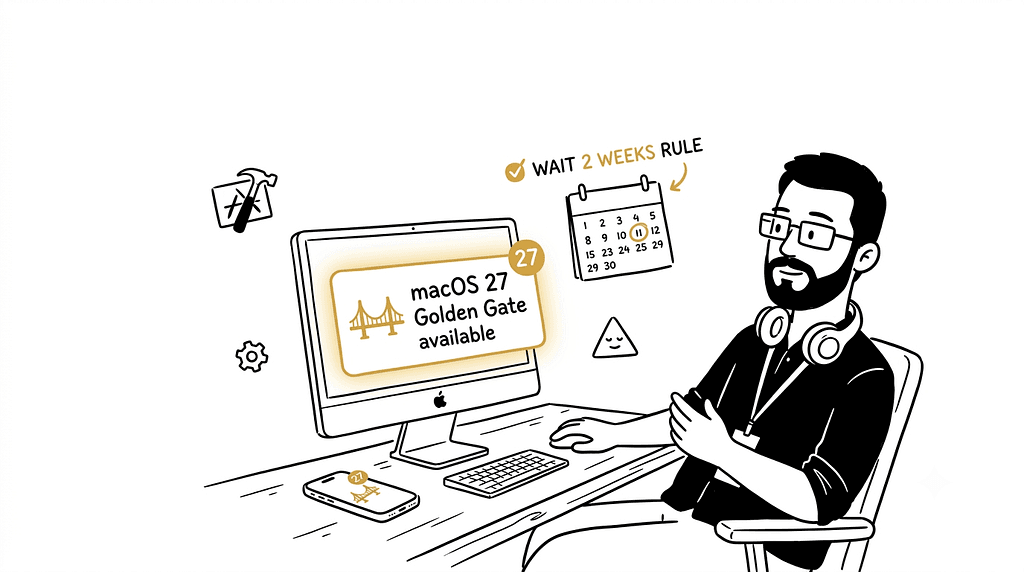
“The popup appeared on my iMac at work on September 14th. Big, golden, unmissable. macOS 27 Golden Gate. Available now.”
I stared at it for a solid ten seconds. Then I dismissed it.

Not because I’m not excited — I genuinely am, this is a solid release and I’ll tell you exactly why. But I’m a Flutter developer, and I’ve been down the “update your Mac on day one” road before. Xcode changes. Build tools shift. Something that was working yesterday mysteriously doesn’t compile today. The update you enthusiastically installed on a Monday morning becomes the reason you’re debugging a toolchain issue on Tuesday instead of shipping features.
My personal rule: wait one to two weeks after any major macOS release. Let other developers hit the sharp edges first. Let the 27.1 patch land. Then update.
So while I sit here, popup dismissed, watching everyone else either celebrate or complain — let me actually tell you what just dropped, what’s genuinely good, what matters specifically if you’re a developer, and why I noticed iOS 27 sitting in my iPhone’s update list right next to it too.
macOS 27 Golden Gate: The Name, The Date, The Basics 🌁
macOS Golden Gate (version 27) is the twenty-third major release of macOS — the successor to macOS Tahoe, announced at WWDC 2026 on June 8th, and released to the public on September 14, 2026.
The name comes from the strait connecting the San Francisco Bay to the Pacific Ocean — Apple’s continued tradition of naming macOS releases after California landmarks. And it landed alongside iOS 27, iPadOS 27, watchOS 27, tvOS 27, and visionOS 27 all at once, which I’ll get to later.
It’s the first version of macOS to run exclusively on Macs with Apple silicon — and the last version with full Rosetta 2 functionality. That second part matters enormously if you’re still running any Intel-only tools in your workflow, and I’ll explain exactly what that means below.
Compatible hardware: MacBook Air with Apple silicon (2020 and later), MacBook Pro with Apple silicon (2020 and later), iMac with Apple silicon (2021 and later), Mac mini with Apple silicon (2020 and later), Mac Studio (2022 and later), Mac Pro with Apple silicon (2023), and the MacBook Neo (2026). If you’re on Intel — you’re done. macOS 27 won’t install.
The Biggest Change: Siri Actually Got Good 🤖
“I have been burned by Siri promises enough times to approach this skeptically. Reading the actual feature list, I’m less skeptical than usual.”
Siri AI is an entirely new version of Siri powered by Apple Intelligence — more personal, more capable, and more conversational. It’s integrated into Spotlight, so you can search for answers about almost any topic right from where you already search across your system. It can draw on personal context to find things across your messages, mail, photos, and more. And it can get things done across your apps, just by asking.
The thing that actually makes this different from the Siri promises of previous years: conversational context. Old Siri forgot the previous question the moment you asked a new one. Ask it “what’s the weather like in Tokyo” and then “should I pack a jacket” and it had no idea what you were referring to. Siri AI now lives inside Spotlight for conversational search, while a separate Siri AI app handles saved conversations synced through iCloud.
That iCloud sync detail is worth sitting with. Your Mac and your iPhone now share Siri conversation history. Ask something on your phone, follow up on your Mac. The context travels with you instead of starting from scratch on every device.
Advanced Siri AI features — the most powerful on-device model, expressive voices, and advanced dictation — are only available on M3 chips or newer with at least 12GB of unified memory. If you’re on an M1 or M2 with 8GB, you get the base Siri AI experience, not the full one. Worth knowing before expectations outpace hardware.
One discovery that I found genuinely fascinating from a developer standpoint: code found in the new Siri architecture shows Apple has designed it to work with third-party AI models at a surprisingly deep level. A mechanism called Model Delegation allows Claude to appear as a Siri extension in the same way as the existing built-in ChatGPT extension. Claude as a Siri extension. On macOS. That’s a sentence I didn’t expect to read this week.
The Design Refinements: Liquid Glass 2.0 🪟
“macOS 26 introduced Liquid Glass and got mixed reviews. macOS 27 quietly fixed the parts people actually complained about.”
Apple is revisiting Liquid Glass in Golden Gate with a Liquid Glass slider for controlling transparency — you can opt for maximum translucency or a tinted version that’s more opaque for increased legibility. Apple also updated Liquid Glass opacity so it diffuses complex content more effectively.
Window border shapes are now consistent across applications, reversing a change introduced in macOS Tahoe. The traffic light window control buttons have been redesigned to an Aqua-like Liquid Glass design similar to versions before OS X Yosemite.
Finder sidebars are more clearly defined, toolbars are more consistent, and edge-to-edge sidebars replace some of the floating elements introduced in macOS 26. A darkened edge and brighter highlights offer more depth and separation for the UI, plus changes to window shadows make it easier to tell when a window is active.
None of this is revolutionary — it’s Apple acknowledging that the initial Liquid Glass launch was visually ambitious in ways that sacrificed readability in some areas, and fixing those areas. Refinement releases like this are often better to actually live with than the dramatic ones that introduced the changes in the first place.
Safari Got Genuinely Smarter 🌐
“I was ready to skip past the Safari section. Then I read what ‘Describe an Extension’ actually does.”
Safari now sorts open tabs into topic-based groups automatically, making related pages easier to track down. A new Notify Me feature keeps an eye on webpages for price drops or restocks and pings users when it’s worth acting.
Describe an Extension lets someone describe what they want in plain language and have Safari build it — such as a button for saving a favorite recipe. Natural language to browser extension, generated on the fly. That’s the kind of feature that sounds like marketing until you actually try it for the mundane, real use cases — blocking a specific element that annoys you on a site you visit daily, adding a quick-save button for something you bookmark constantly, that kind of thing.
Pull-to-refresh is available in Safari, Mail, News, Podcasts, and Calendar. Small. Long overdue. Will use it constantly without thinking about it.
Finder, Shortcuts, and the AI-Powered Automation Upgrades ✨
“The Finder ones are the quiet wins that change daily muscle memory.”
The updated Finder now offers file naming suggestions based on document content. This sounds like a minor detail until you’ve spent five minutes trying to name a screenshot descriptively and realized you’ve created twenty files called “Screen Shot 2026–09–14 at 10.34.22 AM.” The Mac reading the content and suggesting “quarterly-report-draft-q3” is the kind of AI integration that earns its keep through mundane repetition rather than impressive demos.
Natural language event creation in Calendar is live too — type “meeting with team next Tuesday at 3pm about Q4 planning” into Calendar and it builds the event. No fields, no date picker, no time zone dropdown. Just describe it.
Describe a Shortcut assembles the steps of a multi-step automation from a written description — such as automatically texting a partner an ETA when leaving work based on traffic. Shortcuts has always been the Apple automation tool that required you to already think like an automation engineer to use effectively. Natural language input is the feature that might finally make it genuinely approachable.
The Developer Story: Why I’m Specifically Waiting ⚠️
“This is the part of the article that’s actually for me, and probably for you if you write code for a living.”
The biggest developer-facing change is Xcode 27, and it’s a real shift. The standalone Simulator app is gone, replaced by Device Hub — a single window that manages both simulators and physical devices. When you run an app it now opens in a compact Device Hub pane with quick actions for Home, screenshots, and rotation, and a paired iPad or iPhone can be driven from the same place.
That’s a significant workflow change for anyone who’s built muscle memory around the Simulator as a standalone app. For me specifically as a Flutter developer, the Simulator is part of my daily loop — launching it, switching between device sizes, testing layouts. Device Hub replacing it entirely is exactly the kind of thing I want a week of community feedback on before I adopt it on a machine I’m actively shipping from.
iOS 27 builds with Xcode 27, which bundles the iOS and iPadOS 27 SDK and runs the Swift 6.4 compiler. Xcode 27 is Apple-silicon only — Intel Macs can’t run it — and the install is about 30% smaller than Xcode 26.
Two changes are hard gates that stop your app cold: apps built with the iOS 27 SDK must include a launch screen or the App Store rejects them, and they must adopt the UIKit scene-based lifecycle or they fail to launch. If you’re on Flutter, the scene-based lifecycle requirement from the iOS 27 SDK side isn’t immediate since there’s no deadline forcing the iOS 27 SDK yet — but it’s the kind of thing worth understanding before it becomes urgent.
macOS 27 will also be the final version to support Rosetta, Apple’s translation technology for running Intel-only apps on Apple silicon Macs. Those apps will continue to work in macOS 27, but will stop working in macOS 28 unless developers release Apple silicon-native versions. macOS 27 includes an Intel-app checker in System Settings that lists Intel-based apps used during the past year. If you have any essential Intel-only tool still in your workflow, this is the cycle to audit and replace it — not next year when macOS 28 drops support entirely.
macOS 27 Golden Gate also ships native Linux container support on Apple Silicon without Docker Desktop. This is significant for anyone who’s been paying a Docker Desktop subscription primarily to get Linux containers running locally — that use case is now handled at the OS level.
iOS 27 Dropped Too — And It’s Worth Mentioning 📱
“I checked my testing iPhone 15 right after dismissing the Mac popup. Same day — iOS 27 sitting there waiting too.”
iOS 27, iPadOS 27, watchOS 27, tvOS 27, and visionOS 27 were all released on September 14, the same day as macOS 27.
iOS 27 carries the same Siri AI and Apple Intelligence features as macOS 27, the same Liquid Glass refinements, and the same Safari improvements. A few iOS-specific things worth knowing:
The UIScene lifecycle mandate is the big one for Flutter and iOS developers. Apps built with the iOS 27 SDK must adopt the UIKit scene-based lifecycle or they fail to launch. There’s no deadline forcing you onto the iOS 27 SDK yet — Apple’s submission floor is still the iOS 26 SDK with Xcode 26, which became mandatory on April 28, 2026. But the two hard build gates plus the @State macro change are exactly the kind of thing that’s a calm afternoon now and a fire drill the week of a release deadline later.
Pull-to-refresh is available in Safari, Mail, News, Podcasts, and Calendar on iOS too — same as Mac. Sidecar used to accept only Apple Pencil input when an iPad served as a second Mac display; Golden Gate adds direct touchscreen support. Small thing if you use Sidecar, genuinely annoying thing it took this long.
Same hardware caution applies: I’m waiting on the iOS 27 update too. Let the dust settle on both.
Should You Update Right Now? My Honest Take 💭
If you’re a regular user — writer, designer, someone who uses their Mac for things other than shipping code — this year is more about refinement. Apple has spent its development time polishing the new interface elements, addressing rougher edges, improving performance and reliability, and making the experience more consistent across platforms. A refinement release from Apple typically updates cleanly without drama. Go ahead.
If you’re a developer, specifically if Xcode is part of your daily workflow: wait. Not forever — a week or two. Let the community discover what breaks. Watch the r/flutterdev and r/iOSprogramming feeds for the next few days. See if SimUtil or other tooling you depend on updates for Device Hub compatibility. Then update with clear eyes rather than Tuesday-morning surprise.
My iMac at work will see macOS 27 before the month is over. Just not today.
Tags: macOS, macOS 27, Golden Gate, iOS 27, Apple, Developer Tools, Xcode, Flutter, Software Development
macOS 27 Golden Gate Dropped and I’m Not Updating Yet — Here’s Everything You Need to Know First 🌉 was originally published in Never Stop Writing on Medium, where people are continuing the conversation by highlighting and responding to this story.