The first local-first MCP server combining persistent memory, code intelligence, and a knowledge graph. No cloud. No subscriptions. Just your AI, finally remembering everything.
You open your AI coding assistant.
You spend the first twenty minutes re-explaining your project. The folder structure. The service boundaries. The three architectural calls you made last sprint. The edge case in the auth flow that cost you an entire day.
The AI gets it. The session is sharp. You ship something real.
You come back tomorrow.
It has no idea who you are.
This isn’t a model quality problem. Claude, GPT-4o, Gemini — they’re all remarkably capable in the moment. The problem is structural. Every session starts from zero. Your project’s accumulated intelligence — its patterns, its history, its gotchas — lives in your head and nowhere else.
That’s the gap synapse-cortex fills.
And as of today, the stable v1.0 release is live on npm.
What Is synapse-cortex?
synapse-cortex is a local-first MCP (Model Context Protocol) server built entirely on SQLite. It gives AI coding agents — Claude Code, Cursor, Windsurf, Cline, Continue, Gemini CLI — three capabilities they have never had together in a single package:
Persistent Memory — Cross-session recall that survives process restarts. Your AI remembers what you taught it last Tuesday.
Code Intelligence — Hybrid BM25 + vector search, AST-aware chunking, symbol finding, and caller mapping across your entire codebase. Not keyword search. Actual structural understanding.
Knowledge Graph — A temporal entity-triple store with multi-hop traversal and time-travel queries. Architectural decisions become versioned, queryable facts — not forgotten Notion pages.
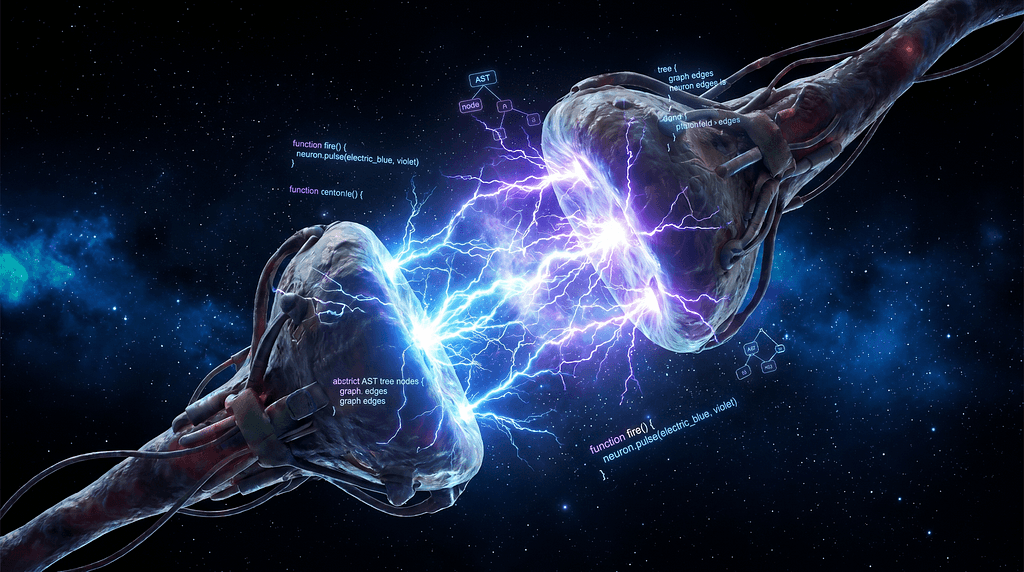
The name is a nod to neuroscience. A synapse is the gap between neurons where a signal either fires or dies. In AI-assisted development, that gap exists between your agent and everything your project knows about itself.
synapse-cortex is the transmission layer.
The Landscape Problem Nobody Was Solving
The MCP ecosystem is large and growing fast. There are hundreds of servers for GitHub, databases, calendars, email.
But look at what handles AI agent memory and project context:
Mem0 (41k stars, $24M in funding) gives you persistent memory. It cannot understand your codebase. 8 MCP tools.
AgentMemory gives you memory. No code intelligence. 43 tools.
GitNexus gives you code intelligence. Forgets everything the moment your session ends. 16 tools.
Nobody combined all three. That was the gap.
synapse-cortex covers all three pillars. 74 MCP tools. One server. Your machine.
The Three Pillars — What Actually Makes This Different
Pillar 1: Code Intelligence
Most MCP servers treat your codebase as a bag of text.
synapse-cortex treats it as a structured system.
Hybrid BM25 + vector search means queries combine keyword precision with semantic understanding. You get exact match and fuzzy relevance simultaneously — not one or the other.
AST-aware chunking means the server understands your code at the syntax tree level. It knows where functions begin and end, what class a method belongs to, what a type alias resolves to — not just what characters appear on which lines.
Symbol intelligence — find_definition, find_usages, find_callers, find_implementations — means your AI can answer architecture questions without you needing to hand-hold it through the codebase.
When you ask “where is this interface implemented?”, it doesn’t guess. It knows.
Pillar 2: Knowledge Graph
This is the most underrated feature and the hardest to explain until you’ve needed it.
synapse-cortex maintains a temporal entity-triple store — a versioned graph of facts about your project. Entities, relationships between them, and timestamps. You can query it with multi-hop traversal (“what services depend on the billing module?”) and with as_of time-travel queries ("what did our API contract look like before the v2 migration?").
Architectural decisions don’t disappear into Slack threads nobody finds. They live in the graph, versioned over time, queryable by your AI on the next session and every one after.
Pillar 3: Persistent Memory
Cross-session recall is the foundation everything else is built on.
Semantic deduplication ensures the same fact isn’t stored redundantly across sessions. If you taught your AI “we use repository pattern for all database access” in January, and it comes up again in May, synapse-cortex detects the overlap. No duplicates.
Agent-scoped isolation means Claude Code and Cursor don’t bleed into each other’s context. Each agent gets its own memory namespace.
Conversation ingestion captures insights from past sessions automatically. The AI learns from what it does — not just what you explicitly tell it.
The Five Tool Suites
74 tools organized into five focused areas:
Workspace & Discovery — project_tree, read_file, summarize_project. Your AI navigates your project before touching a single line.
Search & Code Intelligence — search_hybrid, find_definition, find_usages, find_callers, find_implementations. Structural codebase understanding.
Memory & Recall — memory_store, memory_recall, memory_capture_event, memory_check_duplicate. Persistent, deduplicated, session-surviving context.
Knowledge Graph — kg_add_triple, kg_as_of, graph_traverse, kg_timeline. Versioned project facts with time-travel.
Agent Context — agent_prime, teach, capture_outcome, task_context. This last suite is the one I'm most proud of.
agent_prime was designed around a single question: what would a new senior engineer need to know on day one to be immediately useful? Architecture history. Current patterns. Known pitfalls. Open decisions. That's what it loads. That's what teach adds to over time.
Getting Started in Under Five Minutes
Step 1: Install
npm install -g synapse-cortex
Step 2: Set up and verify
synapse setup
synapse doctor
Run synapse doctor. Don't skip it. It catches most configuration issues before they become debugging sessions.
Step 3: Add to your MCP client
{
"mcpServers": {
"synapse": {
"command": "synapse",
"startup_timeout_sec": 30,
"env": {
"MCP_MODE": "stdio",
"SYNAPSE_CONFIG": "~/.synapse/config/synapse.config.json",
"SYNAPSE_INDEX_BACKEND": "sqlite-vec",
"SYNAPSE_MEMORY_ENABLED": "true"
}
}
}
}
This works for Claude Code, Cursor, Windsurf, Cline, Continue, and Gemini CLI.
Restart your client. Done.
Your AI now has persistent memory, code intelligence, and a knowledge graph — all running locally on your machine.
Why Local-First? Why SQLite?
Fair questions. Here’s the real answer.
Local-first means your code never leaves your machine. No cloud sync. No telemetry. No API keys to manage. No monthly bill for a vector database. You’re on a plane with no internet? Synapse still works.
SQLite gets dismissed as “too simple” by developers who haven’t looked at what it can do with the right extensions. The sqlite-vec extension handles semantic search with vector embeddings natively. Combined with a BM25 full-text index, you get retrieval quality that normally requires a hosted vector database — without running a single Docker container.
The architecture is strictly three-layer:
Core handles SQLite storage and runtime fundamentals. Services handle Memory, Retrieval, and Workspace — each isolated. Interfaces expose the CLI (for you) and the MCP transport (for your AI). They never need to know about each other.
What “Stable” Actually Means Here
Open source developer tools live and die by trust. Here’s what v1.0 means in concrete terms:
OIDC Trusted Publishing — packages are published with verifiable provenance via GitHub Actions. You can trace exactly where the binary you installed came from.
Continuous CodeQL scanning — deep static analysis runs on every commit. Not just linting. Actual vulnerability detection.
Zero telemetry — no analytics, no phone-home, no usage collection of any kind. Your code is your code.
The Compounding Effect
Here’s the part worth thinking about.
AI coding tools are proliferating faster than anyone can evaluate. New models, new clients, new workflows — every week. Developers are wondering which bets to make.
The real differentiator isn’t which model writes the most impressive code in isolation. It’s which infrastructure lets AI agents accumulate project intelligence over time — getting more contextually aware the longer they work with you.
That’s the compounding effect.
Every teach call, every kg_add_triple, every capture_outcome — they add up. Six months in, your AI knows your codebase better than most humans on your team. Not because it's smarter. Because it remembers.
What’s Next on the Roadmap
Automatic conversation ingestion — the system will capture insights from AI sessions without manual memory_store calls. The AI learns from what it does, not just what you explicitly teach it.
Project templates — pre-configured knowledge graph schemas for common project types (API servers, mobile apps, CLI tools) so new projects start with structure instead of a blank slate.
Deeper Flutter integration — widget tree traversal, platform-specific pattern detection, on-device AI workflow support. Mobile developers have been underserved by existing MCP tooling.
Install It. Break It. Tell Me.
npm install -g synapse-cortex
GitHub → github.com/TheJenilDGohel/Synapse
If it solves a problem you’ve felt — drop a ⭐ on the repo. It genuinely helps with visibility and tells the ecosystem this work matters.
If you find a bug, open an issue. If you have a feature idea, open a discussion. If you want to contribute, the CONTRIBUTING guide is there and PRs are reviewed seriously.
The signal either fires, or it dies in the gap.
synapse-cortex makes sure it fires.
Follow me on Medium for more on MCP, local-first AI, and building in public. Next up: integrating Claude API into Flutter apps — the real way, not the chatbot wrapper way.