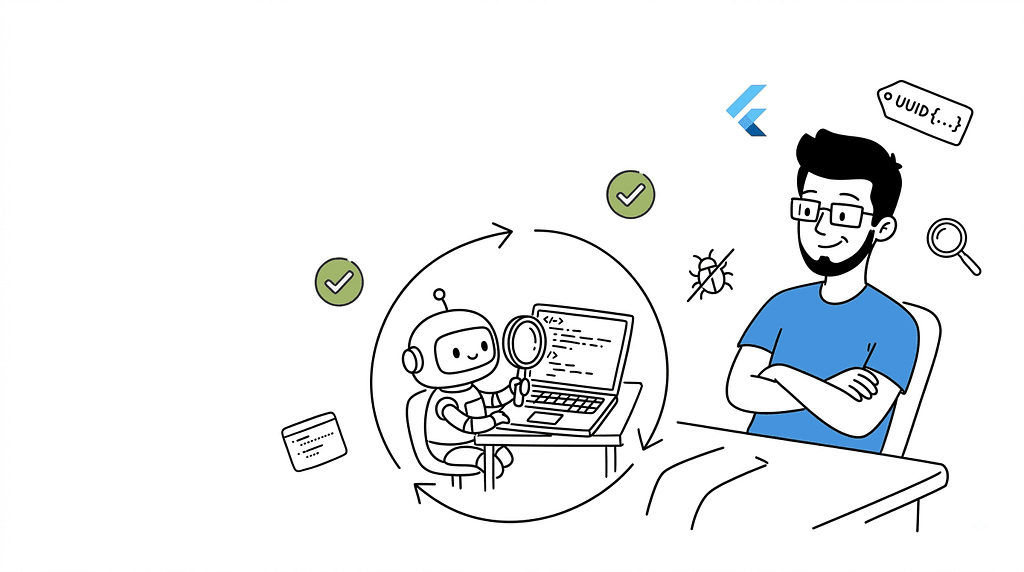
“A bot does what you ask. A junior dev goes back and looks at the finished task again before handing it back.”

Okay so I’ve installed a lot of Claude Code skills at this point. Most of them I forget exist within a week. They speed up one step — generate this, format that — and then they just sit there quietly doing their one job.
Ultrareview Loop wasn’t like that. This one actually changed how I work with Claude Code, not just what it spits out.
Let me walk you through what it is, how it actually works, and why — not exaggerating — it’s the closest I’ve felt to handing a task to an actual junior dev instead of a very fast autocomplete.
What Ultrareview Loop Actually Is 🧩
“Wait, so it just… keeps going until it’s actually done?”
That was my first reaction reading the description, and yeah, pretty much.
Ultrareview Loop is a Claude Code skill built by AeyeOps, published inside their open source aeo-skill-marketplace repo on GitHub, and listed on MCP Market under Security & Testing. The pitch, straight from AeyeOps: it "automates a continuous cycle of code review and automatic fixes until all validation issues are resolved."
Normally I’d roll my eyes at a line like that — every tool description promises “automated everything.” But here it’s not marketing fluff, it’s a literal description of the mechanism. That’s kind of the whole point of this post.
Quick honesty check before I hype this up further: this is a small, early project. A handful of GitHub stars, nothing close to famous in the Claude Code ecosystem yet. I’m writing about it because the idea is genuinely well thought out, not because everyone’s already using it.
The Loop, Explained 🔄
“Found three issues. Fixed them. Wait — did the fix actually work, or did I just say it did?”
That question is basically the entire reason this skill exists.
Most AI review setups are one-shot. You ask for a review, get a list back, and then it’s on you to fix each thing and remember to double-check later. Ultrareview Loop closes that gap:
- Review — runs a real pass over your code or plan
- Fix — applies corrections to whatever it flagged
- Verify — reviews it again to confirm the fix actually landed and didn’t quietly break something else
- Repeat — until there’s genuinely nothing left to flag
That last step is the one that matters. It’s not “here’s a to-do list.” It’s not even “here’s what I fixed.” It keeps circling back until there are zero actionable findings left — not zero findings it feels like reporting, zero findings, period.
That’s the difference between a tool that hands you homework and one that actually turns it in.
State-Tracked, Not Just Looped 🔐
“Please don’t let this session bleed into that other session I forgot was still running.”
This is the detail that actually impressed me as an engineer, not just as a user.
Each loop run gets its own unique UUID token specifically to stop session overlap. If you’ve ever run two AI coding sessions at once — and be honest, we all have — you know the exact failure mode: one session’s review gets tangled up with another session’s fix pass, and suddenly nobody knows which state belongs to which run.
Tagging every loop with its own UUID means this skill always knows exactly which cycle it’s on, without accidentally mixing context from a totally different, unrelated session running in parallel. Small decision. But it’s the kind of decision that tells you whoever built this has actually eaten that bug before — more than once, probably.
The Companion Skill: Ultrareview-Fix ⚙️
“Okay, but which of these findings actually matters right now?”
Ultrareview Loop doesn’t work solo. AeyeOps ships a paired skill, Ultrareview-Fix, whose entire job is taking the findings from a review pass and turning them into fixes you can actually act on, in order of what actually matters.
It sorts every finding into one of six buckets:
- CRITICAL
- ERRORS
- ALIGNMENT
- MISSING
- NEEDS VALIDATION
- IMPROVEMENTS
Then it works down that list, applying fixes across both implementation plans and actual source code — not just code, which is the part I didn’t expect. Catching a problem in the plan, before a single line of code gets written, is a much cheaper place to fix a mistake than after the fact. I wish more review tools understood that.
Once the fixes are done, the workflow flat-out tells you to run the review again and confirm the fixes actually held. That’s the loop closing on itself instead of trusting its own homework.
Why It Feels Like a Junior Dev, Not a Bot 🧑💻
“Huh. It actually went back and checked.”
That was genuinely my reaction the first time I watched this run end to end.
A bot does exactly what you type and stops there. You say “review this,” it reviews it, and everything after that — reading the findings, deciding what’s worth fixing, actually fixing it, remembering to confirm it worked — is on you.
An intern will still make mistakes. That’s expected, they’re new, nobody holds that against them. What actually separates a junior dev is the habit of going back and looking at the finished task again before calling it done — catching their own slip before you ever see it. You hand them something, and they come back having already re-checked it, already sorted what actually matters from what’s just cosmetic, already confirmed the fix holds.
That’s what running this loop actually felt like. I stopped being the one closing the gap between “found a problem” and “problem is actually fixed and confirmed.” The skill closes it now. I just review the result.
Where It’s Actually Useful 🛠️
“Would I trust this on something that actually matters?”
Based on how AeyeOps positions it, and matching what I’ve seen using it, three situations stand out:
- Refining complex implementations where “good enough on the first pass” genuinely isn’t good enough
- Zero-finding compliance work — security, logic, style — where the goal is an actual clean bill of health, not a pile of suggestions nobody acts on
- Validating architectural plans before execution, catching structural problems before implementation even starts
That last one’s underrated. Most review tooling only shows up once code already exists. This can show up before it does — which, honestly, is where the expensive mistakes usually happen anyway.
Getting It Installed 📥
Not going to overcomplicate this part — it’s genuinely a two-command install.
Ultrareview Loop lives inside AeyeOps’ aeo-claude plugin, alongside their other Claude-focused tooling — Agent SDK references, prompt engineering skills, that kind of thing.
/plugin marketplace add AeyeOps/aeo-skill-marketplace
/plugin install aeo-claude@aeo-skill-marketplace
It’s also listed standalone on MCP Market if you don’t want the full plugin bundle. Either way — MIT licensed, free, and you can actually go read what it’s doing instead of just trusting a black box with write access to your codebase. I like that a lot more than I expected to.
The Honest Caveat 🧭
“Cool tool. Still not letting it merge to main unsupervised.”
This is early, small, open source work — not a polished product with a support team behind it if something goes sideways. I’d still keep a human sign-off on anything that actually matters, especially the CRITICAL and ERRORS bucket. Trusting a skill to find and prioritize issues well is a very different thing from trusting it blindly on production fixes with zero review.
That caveat applies to basically every AI coding tool right now though, not just this one. It doesn’t take away from what’s actually well designed here.
My Take 💭
Most Claude Code skills save you time on one step. This one changes the shape of the whole workflow — from “AI suggests, human closes the loop” to “AI closes its own loop, human signs off at the end.”
Sounds like a small difference on paper. Doesn’t feel small once you’ve actually sat through a few sessions with it running. It’s the difference between managing a tool and handing something to a junior dev who actually double-checks their own work before it lands on your desk.
If you’re already deep in Claude Code, this is worth the five minutes it takes to install. Go try it, tell me if it wrecks your session state the way it almost wrecked mine before I understood the UUID thing.
Tags: Claude Code, AI Coding Agents, Software Engineering, Code Review, Agentic Coding, Developer Tools, MCP