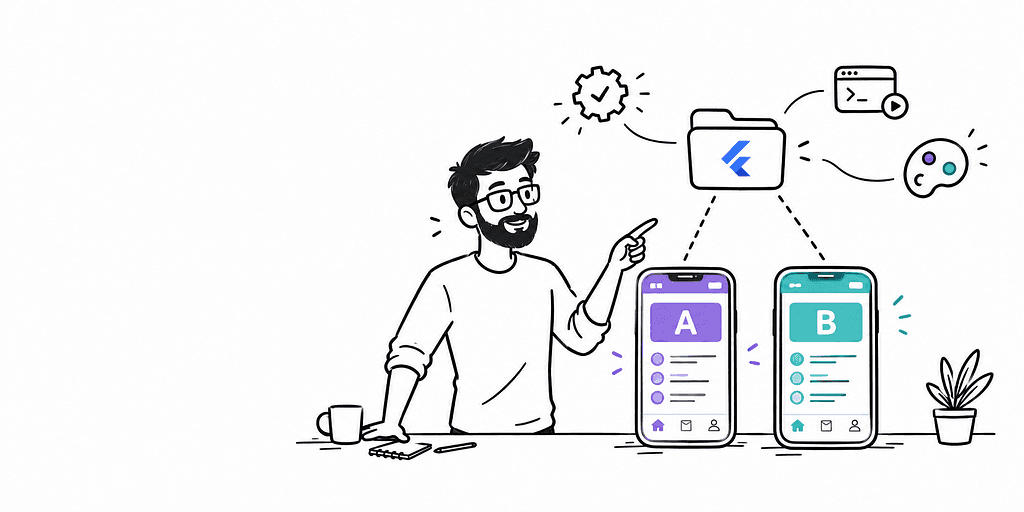
The White-Label Flutter Setup That Actually Stays Clean — No Widget Spaghetti, No Hand-Patching, Full Automation 🎨
“The first time I built a white-label Flutter app, I thought I was being clever. Then the third flavor request came in.”

The Trap Most Developers Walk Into
It starts so innocently. You have one Flutter app. A second client wants the same product but with their logo, their colors, their app name. You think: fifteen minutes, I’ll just add a boolean flag.
Three months later, you have this scattered across half your widget tree:
if (brandId == 'clientA') {
return const Color(0xFF1A73E8);
} else if (brandId == 'clientB') {
return const Color(0xFFE53935);
} else {
return const Color(0xFF6366F1);
}
And this in your build.gradle:
// manually added for clientB, broke clientA's signing, nobody knows why
productFlavors {
clientA { applicationId "com.company.clienta" }
clientB { applicationId "com.company.clientb" }
}
And native assets that you’re hand-copying into the right res/drawable folders every time someone wants to update a logo. And a pubspec.yaml that has grown three separate assets blocks because you gave up trying to merge them. And — the final boss — an Xcode project so manually patched that deleting DerivedData is now a religious practice.
I’ve been there. Most Flutter teams doing white-label work end up there eventually. The problem isn’t laziness or bad intentions. It’s that the obvious approach — add a conditional when you need one — creates a dependency between widgets and brand identity that compounds silently until it owns you.
The fix is a single rule, applied ruthlessly from day one:
Widgets should never know what flavor is running.
Not a soft guideline. A hard architectural constraint. Let me show you what that looks like in practice, including the tooling that makes it genuinely zero-friction to maintain.
The Architecture: FlavorConfig, BrandConfig, and the Singleton Pattern
The foundation of a clean white-label Flutter setup is a configuration singleton that owns all brand-specific values and gets initialized exactly once, before the widget tree exists.
Here’s the shape of the full config hierarchy:
// lib/config/brand_config.dart
class BrandConfig {
const BrandConfig({
required this.brandName,
required this.primaryColor,
required this.secondaryColor,
required this.onPrimaryColor,
required this.logoAsset,
required this.splashTagline,
required this.supportEmail,
});
final String brandName;
final Color primaryColor;
final Color secondaryColor;
final Color onPrimaryColor;
final String logoAsset;
final String splashTagline;
final String supportEmail;
}
// lib/config/flavor_config.dart
enum Flavor { appA, appB }
class FlavorConfig {
FlavorConfig._({
required this.flavor,
required this.brand,
required this.apiBaseUrl,
required this.enableDebugBanner,
});
factory FlavorConfig.initialize({
required Flavor flavor,
required BrandConfig brand,
required String apiBaseUrl,
bool enableDebugBanner = false,
}) {
_instance = FlavorConfig._(
flavor: flavor,
brand: brand,
apiBaseUrl: apiBaseUrl,
enableDebugBanner: enableDebugBanner,
);
return _instance!;
}
static FlavorConfig? _instance;
static FlavorConfig get instance {
assert(_instance != null, 'FlavorConfig must be initialized before use');
return _instance!;
}
static FlavorConfig? get instanceOrNull => _instance;
final Flavor flavor;
final BrandConfig brand;
final String apiBaseUrl;
final bool enableDebugBanner;
}
Two things worth calling out here. First, the instanceOrNull getter — this is what makes the design token pattern safe without requiring the app to be fully initialized to reference a color value. Second, the assert on instance — if someone calls this before bootstrap(), it fails loudly in debug and not silently in production.
Each flavor gets its own entry point file in lib/main:
// lib/main/main_app_a.dart
Future<void> main() async {
await bootstrap(
FlavorConfig.initialize(
flavor: Flavor.appA,
brand: const BrandConfig(
brandName: 'App A',
primaryColor: Color(0xFF6366F1),
secondaryColor: Color(0xFFEEF2FF),
onPrimaryColor: Color(0xFFFFFFFF),
logoAsset: 'assets/brand/app_a/logo.png',
splashTagline: 'Learning, Reimagined.',
supportEmail: 'support@app-a-demo.com',
),
apiBaseUrl: 'https://api.app-a-demo.com',
enableDebugBanner: false,
),
);
}
// lib/main/main_app_b.dart
Future<void> main() async {
await bootstrap(
FlavorConfig.initialize(
flavor: Flavor.appB,
brand: const BrandConfig(
brandName: 'App B',
primaryColor: Color(0xFF0F766E),
secondaryColor: Color(0xFFECFDF5),
onPrimaryColor: Color(0xFFFFFFFF),
logoAsset: 'assets/brand/app_b/logo.png',
splashTagline: 'Your School, Connected.',
supportEmail: 'support@app-b-demo.com',
),
apiBaseUrl: 'https://api.app-b-demo.com',
enableDebugBanner: false,
),
);
}
The bootstrap function lives in lib/bootstrap.dart and handles everything that needs to run before runApp:
// lib/bootstrap.dart
Future<void> bootstrap(FlavorConfig config) async {
WidgetsFlutterBinding.ensureInitialized();
// Add initialization: Firebase, Hive, SharedPreferences, etc.
runApp(App(config: config));
}
Clean. Each flavor is a self-contained entry point with no shared global state, no if (Platform.isAndroid && flavor == 'x'), nothing that leaks brand identity into shared code.
The Breakthrough: ResColors as Dynamic Getters
Here’s the piece that makes the widget layer completely brand-agnostic, and it’s simpler than most people expect.
Instead of const color values, your ResColors class uses static getters:
// lib/theme/res_colors.dart
abstract final class ResColors {
// Primary brand color — everything derives from this
static Color get primary =>
FlavorConfig.instanceOrNull?.brand.primaryColor ?? const Color(0xFF6366F1);
static Color get secondary =>
FlavorConfig.instanceOrNull?.brand.secondaryColor ?? const Color(0xFFEEF2FF);
static Color get onPrimary =>
FlavorConfig.instanceOrNull?.brand.onPrimaryColor ?? const Color(0xFFFFFFFF);
// Semantic colors that don't vary by brand but live here for consistency
static const Color error = Color(0xFFDC2626);
static const Color success = Color(0xFF16A34A);
static const Color textPrimary = Color(0xFF111827);
static const Color textSecondary = Color(0xFF6B7280);
static const Color surface = Color(0xFFF9FAFB);
static const Color divider = Color(0xFFE5E7EB);
}
The fallback value (?? const Color(0xFF6366F1)) handles the case where ResColors.primary is referenced in a static context before the app boots — widget preview tools, tests, Storybook-style isolated widget rendering. instanceOrNull never throws; it returns null and the fallback handles it.
Now the Material 3 theme setup becomes almost trivially simple:
// lib/app/app.dart
class App extends StatelessWidget {
const App({super.key, required this.config});
final FlavorConfig config;
@override
Widget build(BuildContext context) {
return MaterialApp.router(
title: config.brand.brandName,
debugShowCheckedModeBanner: config.enableDebugBanner,
theme: _buildTheme(),
routerConfig: AppRouter.router,
);
}
ThemeData _buildTheme() {
return ThemeData(
useMaterial3: true,
colorScheme: ColorScheme.fromSeed(
seedColor: ResColors.primary,
primary: ResColors.primary,
secondary: ResColors.secondary,
onPrimary: ResColors.onPrimary,
),
appBarTheme: AppBarTheme(
backgroundColor: ResColors.primary,
foregroundColor: ResColors.onPrimary,
elevation: 0,
),
filledButtonTheme: FilledButtonThemeData(
style: FilledButton.styleFrom(
backgroundColor: ResColors.primary,
foregroundColor: ResColors.onPrimary,
),
),
);
}
}
ColorScheme.fromSeed(seedColor: ResColors.primary) is the key line. Material 3's seed color algorithm generates an entire harmonious color system from that one value — tonal palettes, surface variants, container colors, everything. The entire visual identity of the app derives from one color, and changing that color in BrandConfig cascades everywhere without touching a single widget.
Every widget in your app uses Theme.of(context).colorScheme.primary for primary brand color. Zero hardcoded colors. Zero brand conditionals. A widget that displays a primary-colored button looks identical in its source code whether it's running as appA or appB. The brand is completely invisible to the widget tree.
Automating Native Flavors with flutter_flavorizr
The most time-consuming part of manual white-label setup isn’t the Dart code — it’s the native configuration. AndroidManifest.xml entries, build.gradle product flavor blocks, iOS xcconfig files, Xcode schemes, bundle identifiers. Every time you add a flavor, you're touching native files that are fragile, poorly documented, and easy to corrupt.
flutter_flavorizr automates all of it. Here's the full configuration that powers the two-brand demo:
# flavorizr.yaml
ide: vscode
app:
android:
flavorDimensions: "flavor-type"
ios: {}
flavors:
appA:
app:
name: "App A"
android:
applicationId: "com.example.app_a"
ios:
bundleId: "com.example.appA"
appB:
app:
name: "App B"
android:
applicationId: "com.example.app_b"
ios:
bundleId: "com.example.appB"
instructions:
- assets:download
- assets:extract
- android:dummyAssets
- android:buildGradle
- android:sourceSet
- android:manifest
- android:dummyAssets
- flutter:flavors
- flutter:app
- flutter:pages
- flutter:targets
- ide:config
The instructions block is where a critical detail lives. The processor android:dummyAssets generates placeholder asset directories for each flavor so Gradle doesn't complain about missing resource directories. But it requires actual temp files to exist before it runs — which assets:download and assets:extract create.
Run flavorizr without those two at the top of the processor list and you’ll get a cryptic error about a missing .tmp directory. Put them first, and the entire pipeline runs without a single manual intervention:
dart run flutter_flavorizr
After this runs, you have:
- build.gradle.kts with proper flavorDimensions and productFlavors blocks for both flavors
- AndroidManifest.xml per-flavor with correct android:label entries
- Per-flavor source sets in android/app/src/appA/ and android/app/src/appB/
- iOS xcconfig files for Debug and Release per flavor
- Xcode schemes for each flavor
- VS Code launch configurations already in .vscode/launch.json
No hand-patching. No merge conflicts between the generated and manual config. You make a change to flavorizr.yaml, re-run the command, and the native project updates.
Automating Per-Flavor Icons and Splash Screens
Two more tools that eliminate manual work entirely.
flutter_launcher_icons — per-flavor app icons:
# flutter_launcher_icons-appA.yaml
flutter_launcher_icons:
android: "launcher_icon"
ios: true
remove_alpha_ios: true
image_path: "assets/brand/app_a/icon.png"
min_sdk_android: 21
adaptive_icon_background: "#6366F1"
adaptive_icon_foreground: "assets/brand/app_a/icon_foreground.png"
# flutter_launcher_icons-appB.yaml
flutter_launcher_icons:
android: "launcher_icon"
ios: true
remove_alpha_ios: true
image_path: "assets/brand/app_b/icon.png"
min_sdk_android: 21
adaptive_icon_background: "#0F766E"
adaptive_icon_foreground: "assets/brand/app_b/icon_foreground.png"
Generate both with one command:
dart run flutter_launcher_icons --flavors appA,appB
flutter_native_splash — per-flavor splash screens. A single config handles both:
# pubspec.yaml additions
flutter_native_splash:
image: assets/brand/app_a/splash_logo.png
color: "#6366F1"
image_dark: assets/brand/app_a/splash_logo_dark.png
color_dark: "#1E1B4B"
flavors:
appB:
image: assets/brand/app_b/splash_logo.png
color: "#0F766E"
image_dark: assets/brand/app_b/splash_logo_dark.png
color_dark: "#134E4A"
dart run flutter_native_splash:create --all-flavors
Both splash screens generated, both sets of launcher icons placed in the correct flavor source set directories, everything ready for a build. No manual asset copying.
The Debugging Story: When Gradle 9.3.1 Just Wouldn’t Download
This section exists because it cost me more time than I expected and I want to save you the same afternoon.
After running flutter_flavorizr, the first Android build attempt hit this:
Downloading https://services.gradle.org/distributions/gradle-9.3.1-all.zip
Exception in thread "main" java.net.ConnectException: Connection timed out: connect
at java.base/sun.nio.ch.Net.connect0(Native Method)
at java.base/sun.nio.ch.Net.connect(Net.java:579)
at java.base/sun.nio.ch.Net.connect(Net.java:568)
at java.base/sun.nio.ch.SocketChannelImpl.connect(SocketChannelImpl.java:588)
The baffling part: curl downloaded that exact URL in 0.3 seconds. The file exists. The URL works. The internet is fine.
The actual cause is a Java networking behaviour on Windows that most developers have never encountered: Java defaults to preferring IPv6 (****java.net.preferIPv4Stack=false). When your ISP or router provides a dual-stack (IPv4 + IPv6) route, Java's HTTP client picks IPv6 and attempts to connect through it. On networks where IPv6 routing to Gradle's CDN is flaky or longer than Java's connect timeout (which is surprisingly short), the connection times out silently and never falls back to IPv4.
curl, by contrast, uses the Happy Eyeballs algorithm (RFC 8305) — it races IPv4 and IPv6 connections simultaneously and uses whichever responds first. So curl works in 0.3 seconds while Java hangs indefinitely.
The fix is permanent and two lines:
# gradlew.bat — find this line and add the flag
set DEFAULT_JVM_OPTS="-Xmx64m" "-Xms64m" "-Djava.net.preferIPv4Stack=true"
# gradle.properties
org.gradle.jvmargs=-Xmx4096m -Dfile.encoding=UTF-8 -Djava.net.preferIPv4Stack=true
Both files. gradlew.bat controls the wrapper JVM that downloads Gradle itself. gradle.properties controls the Gradle daemon JVM that runs your build. If you only set one, you'll still hit timeouts at one of the two stages.
After that change: zero timeout issues, clean downloads, builds running normally.
The 1-Click Developer Experience
Here’s what .vscode/launch.json looks like after flutter_flavorizr generates it (with some additions for web and desktop):
{
"version": "0.2.0",
"configurations": [
{
"name": "App A (Android)",
"request": "launch",
"type": "dart",
"program": "lib/main/main_app_a.dart",
"args": ["--flavor", "appA", "--target", "lib/main/main_app_a.dart"]
},
{
"name": "App B (Android)",
"request": "launch",
"type": "dart",
"program": "lib/main/main_app_b.dart",
"args": ["--flavor", "appB", "--target", "lib/main/main_app_b.dart"]
},
{
"name": "App A (Chrome)",
"request": "launch",
"type": "dart",
"program": "lib/main/main_app_a.dart",
"args": ["-d", "chrome", "--dart-define=FLAVOR=appA"]
},
{
"name": "App B (Chrome)",
"request": "launch",
"type": "dart",
"program": "lib/main/main_app_b.dart",
"args": ["-d", "chrome", "--dart-define=FLAVOR=appB"]
},
{
"name": "App A (Windows)",
"request": "launch",
"type": "dart",
"program": "lib/main/main_app_a.dart",
"args": ["-d", "windows", "--dart-define=FLAVOR=appA"]
},
{
"name": "App B (Windows)",
"request": "launch",
"type": "dart",
"program": "lib/main/main_app_b.dart",
"args": ["-d", "windows", "--dart-define=FLAVOR=appB"]
}
]
}
Press F5. Pick a configuration from the dropdown. That’s the complete developer workflow for switching between brands, platforms, and targets. No terminal commands needed for day-to-day work. No --flavor flags to remember. No target file to specify manually.
A developer who’s never seen this codebase before can be running either brand on any platform in the time it takes VS Code to launch the app.
What Makes This Enterprise-Ready: The Checklist
After building this out fully, here’s the honest checklist of what actually makes it maintainable at scale rather than just demo-ready:
Architecture:
- [ ] FlavorConfig initializes before any widget is built — no late initialization, no nullable global access from widgets
- [ ] ResColors uses dynamic getters — no widget ever imports FlavorConfig directly
- [ ] BrandConfig is a pure data class with const constructor — trivially testable, serializable, no side effects
- [ ] Every flavor has its own main_*.dart entry point — no flavor detection at runtime inside shared code
Native automation:
- [ ] flavorizr.yaml is the single source of truth for package IDs, bundle IDs, and app names — edited once, generates everywhere
- [ ] Per-flavor flutter_launcher_icons-*.yaml files — icon regeneration is one command
- [ ] flutter_native_splash config in pubspec.yaml — splash regeneration is one command
- [ ] gradlew.bat and gradle.properties have preferIPv4Stack=true — no JVM networking surprises on Windows
Developer experience:
- [ ] .vscode/launch.json covers all flavors on all target platforms — F5 and pick
- [ ] Both apps install side-by-side on the same device with different package IDs — no uninstall-reinstall cycle during testing
- [ ] Material 3 ColorScheme.fromSeed handles the entire theme cascade — adding a third flavor is BrandConfig + main_*.dart entry point, nothing else
The constraint that keeps it clean:
- [ ] Zero brand conditionals inside lib/ outside of main/ and config/ — if a widget file has if (flavor == ...), it's a bug
The Result
Two production-ready builds. One clean codebase. The appA brand installs on the same device as appB simultaneously — different package IDs, different app names, different icons, different colors, different splash screens. A developer hitting F5 on a Monday morning can have either brand running on Android, Chrome, or Windows in under a minute.
Adding a third brand is: one new BrandConfig, one new main_*.dart, one new block in flavorizr.yaml, one new icon yaml, one re-run of three CLI commands. Nothing in the widget layer changes.
The brands are completely invisible to the widget tree. The widget tree is completely indifferent to the brand. That’s the clean dream, and it’s not particularly hard to build once you stop reaching for the conditional.
Tags: Flutter, White Label, Flutter Flavors, Mobile Development, Architecture, Dart, flutter_flavorizr
The White-Label Flutter Setup That Actually Stays Clean — No Widget Spaghetti, No Hand-Patching… was originally published in Stackademic on Medium, where people are continuing the conversation by highlighting and responding to this story.