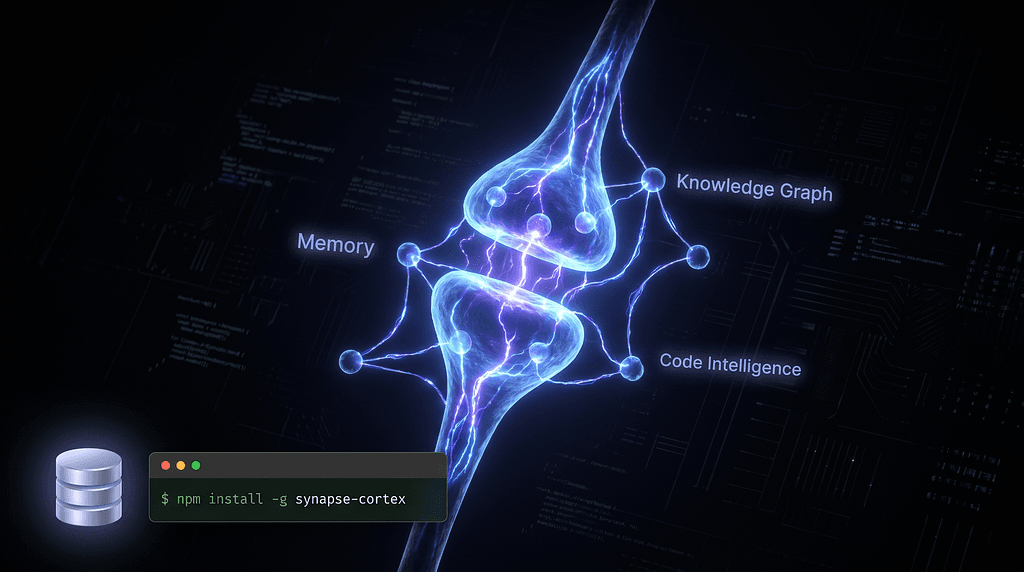
“In biology, a synapse is the gap between neurons where the signal either fires — or dies. I got tired of watching AI signals die.”

Let me describe a workflow you’ve probably lived through.
You spend 45 minutes giving your AI assistant context. The architecture decisions. The folder structure. The reason that one service is split the way it is. The three things you tried last week that didn’t work.
The AI gets it. Finally. The responses are sharp. It’s actually helping.
Then the session ends.
You come back the next day. And it’s gone. All of it. You’re starting from scratch — explaining the same project, the same constraints, the same history — to an agent that has absolutely no idea who you are or what you’re building.
That’s not an AI problem. That’s an infrastructure problem.
And it’s exactly why I built Synapse.
The Problem Nobody Is Solving Correctly 😤

Here’s what I noticed after working with AI coding tools seriously for months: the tools themselves have gotten remarkably good. Claude Code, Cursor, Windsurf — they reason well, they write decent code, they catch logical errors.
But they’re all suffering from the same architectural amnesia.
Every session is a blank slate. Every context window resets. Every lesson you taught the AI yesterday needs to be retaught today. And if you’re working on a codebase with real complexity — multiple services, historical decisions, evolving architecture — you spend more time re-explaining the project than actually building it.
The existing solutions aren’t solving this right either.
Memory-only servers like Mem0 (41k stars, $24M in funding — impressive) give you persistent memory. But zero code intelligence. They can remember what you said but can’t understand your codebase.
Code intelligence servers like GitNexus or codebase-memory-mcp can search your code, find symbols, traverse definitions. But they forget everything the moment the session ends.
Nobody combined both. Until now.
Personal reflection #1: The more I worked with AI agents, the more I realized the bottleneck wasn’t the model’s intelligence. It was the absence of persistent project context_. A brilliant agent with no memory of your codebase is like hiring a senior engineer who gets amnesia every morning._
What Is Synapse? The Biology Behind the Name 🧬
In neuroscience, a synapse is the specialized junction between two neurons — the transmission point where electrical and chemical signals cross the gap. Without functioning synapses, neurons can’t communicate. The brain stops working. The signal dies in the gap.
In the AI development ecosystem, that gap exists between your AI agent and your project’s accumulated intelligence. Every architectural decision, every pattern you’ve established, every lesson from past failures — it all lives in your head, or in scattered notes, or nowhere at all.
Synapse is that transmission layer.
It’s not the AI doing the thinking. It’s the infrastructure that ensures the AI arrives at every session already primed with the context it needs to do the job. No re-explaining. No lost signal.
Technically: Synapse is a local-first MCP server built on pure SQLite. Zero cloud. No telemetry. Your code and your AI’s memories never leave your machine.
The Three Pillars: What Makes Synapse Different ⚡
This is where it gets specific. And this specificity is exactly why I built this instead of just using what already existed.

🔵 Pillar 1: Code Intelligence
Most AI tools treat your codebase as a bag of text. Synapse treats it as a structured system.
Hybrid BM25 + vector search means queries combine keyword precision with semantic understanding. AST-aware chunking means the AI understands code at the syntax tree level — not just character patterns. Symbol finding means it can trace a function’s definition, find every usage, and map every caller across your entire project.
When you ask Synapse “where is this interface implemented?”, it doesn’t guess. It knows.
🟣 Pillar 2: Knowledge Graph
This one is the most underrated feature and the hardest to explain until you need it.
Synapse maintains a temporal entity-triple store — a versioned graph of facts about your project. Entities, relationships, and timestamps. You can query it with multi-hop traversal (“what depends on what?”) and with as_of time-travel queries ("what did the architecture look like three weeks ago?").
Architectural decisions don’t just live in your head anymore. They live in the graph, versioned over time, queryable by your AI on demand.
🟢 Pillar 3: Persistent Memory
Cross-session recall. Semantic deduplication so the same fact isn’t stored a hundred times. Agent-scoped isolation so different AI clients don’t bleed into each other’s context. Conversation ingestion so insights from past sessions get preserved automatically.
Your AI remembers what you taught it. Not just for this session — forever.
74 Tools. One Server. Your Machine. 🛠️
Let me put some numbers on this.
Server Memory Code Intelligence Knowledge Graph MCP Tools Synapse ✅ ✅ ✅ 74 Mem0 ✅ ❌ ❌ 8 AgentMemory ✅ ❌ ❌ 43 GitNexus ❌ ✅ Code-only 16 CodeGraphContext ❌ ✅ ✅ ~10
Synapse is the only MCP server that covers all three pillars. That’s not a marketing claim — check the comparison table in the README yourself.
Those 74 tools are organized into five focused suites:
Workspace & Discovery — project_tree, read_file, summarize_project and more. Navigate and understand your project structure instantly.
Search & Code Intelligence — search_hybrid, find_definition, find_usages, find_callers, find_implementations. Your AI understands code architecture, not just text.
Memory & Recall — memory_store, memory_recall, memory_capture_event, memory_check_duplicate. Persistent, deduplicated, session-surviving context.
Knowledge Graph — kg_add_triple, kg_as_of, graph_traverse, kg_timeline. Versioned, queryable project facts with time-travel.
Agent Context — agent_prime, teach, capture_outcome, task_context. Prime your AI with exactly the context it needs before it touches a single line of code.
Personal reflection #2: When I was designing the tool suite, I kept asking one question: “What would a new senior engineer need to know on their first day to be immediately useful?” The answer to that question became the architecture of Synapse. Architecture history. Current patterns. Known gotchas. Open decisions. That’s what agent_prime and teach are for.
Getting Started in 30 Seconds 🚀
# Install globally
npm install -g synapse-cortex
# Set up workspace and dependencies
synapse setup
# Verify everything is healthy
synapse doctor
Then add this to your MCP client config (Claude Code, Cursor, Windsurf, Cline, Continue, Gemini CLI — all supported):
{
"mcpServers": {
"synapse": {
"command": "synapse",
"startup_timeout_sec": 30,
"env": {
"MCP_MODE": "stdio",
"SYNAPSE_CONFIG": "~/.synapse/config/synapse.config.json",
"SYNAPSE_INDEX_BACKEND": "sqlite-vec",
"SYNAPSE_MEMORY_ENABLED": "true"
}
}
}
}
That’s it. Your AI now has memory, code intelligence, and a knowledge graph — all running locally, all yours.
Actionable takeaway: Run synapse doctor after setup. It'll tell you exactly what's working and what isn't. Don't skip this step — it saves a lot of debugging.
The Architecture: Why Local-First Matters 🏗️

Synapse’s architecture is strictly decoupled across three layers:
Core (src/core/) — System fundamentals, runtime constraints, and SQLite storage layout. This is where the data lives and how it's organized.
Services (src/services/) — Bounded business logic: Memory, Retrieval, Workspace. Each context is isolated. Each can evolve independently.
Interfaces (src/interfaces/) — CLI, MCP, App entrypoints that orchestrate the services. The MCP interface is what your AI clients talk to. The CLI is what you use to set up and manage.
Why SQLite and not something fancier? Because SQLite is reliable, fast, zero-dependency, and — most importantly — it runs on your machine without configuration. No Docker. No cloud account. No API keys. No monthly bill. Just a database file that belongs to you.
The vector extension (sqlite-vec) handles semantic search natively. The BM25 index handles keyword search. Combined, they give you retrieval quality that normally requires a cloud vector database.
Personal reflection #3: I made a deliberate choice to build on SQLite even when people suggested Postgres or a hosted vector DB. The reason was simple: I wanted Synapse to work for a solo developer on a plane, not just a team with a cloud budget. Local-first isn’t a constraint. It’s a feature.
Reliability You Can Actually Trust 🛡️
A few things I’m genuinely proud of here:
OIDC Trusted Publishing — npm packages are published with verifiable provenance via GitHub Actions. You can trace exactly where the binary came from.
Continuous CodeQL — Deep static analysis runs on every commit. Not just linting. Actual vulnerability scanning.
Zero telemetry — No analytics, no phone-home, no data collection. Your code is your code.
Semantic deduplication — The memory system checks for duplicates before storing. Your AI won’t remember the same thing fifty times.
The Honest Part: Early Beta, Still Shipping ⚠️
I want to be transparent about where Synapse is right now.
This is early beta. It works — I’m using it, the tests pass, the core functionality is solid. But there are rough edges. Some tool responses are verbose when they could be concise. Some edge cases in the knowledge graph traversal are still being ironed out. The documentation could be deeper in places.
I’m fixing things as I find them. There are 15 open pull requests in the repo right now. I ship when things are ready, not when they’re perfect.
If you find a bug — open an issue. If you have a feature idea — open a discussion. If you want to contribute — the CONTRIBUTING guide is there and I’ll review PRs seriously.
Actionable takeaway: If you’re using Synapse and something feels wrong, run synapse doctor first. It catches most configuration issues. If that doesn't help, the GitHub Issues tab is the right place — not silence.
What’s Coming Next 🔭
The roadmap has a few things I’m genuinely excited about:
Better conversation ingestion — automatically capturing insights from AI sessions without manual memory_store calls. The AI learns from what it does, not just what you explicitly teach it.
Project templates — pre-configured knowledge graph schemas for common project types (API servers, mobile apps, CLI tools) so new projects start with structure instead of a blank slate.
Deeper Flutter integration — given my background in mobile development, there’s a specific set of tools I want to build around Flutter project intelligence. On-device AI workflows, widget tree traversal, platform-specific pattern detection.
Why This Matters Beyond the Tool 💡
Here’s the bigger picture I keep thinking about.
We’re in a phase where AI coding tools are proliferating fast. Every week there’s a new model, a new client, a new workflow. And developers are trying to figure out which ones to bet on.
But the real differentiator isn’t going to be which model generates the most impressive code in isolation. It’s going to be which infrastructure lets AI agents accumulate project intelligence over time — getting better and more contextually aware the longer they work with you.
Synapse is a bet on that direction. Persistent context isn’t a nice-to-have feature. It’s the missing layer that makes AI agents actually useful for real, complex, long-running projects.
Actionable takeaway for developers: Whichever AI client you use today, set up an MCP server with memory capabilities. Even a basic one. The compounding effect of persistent context over weeks of development is hard to describe until you’ve experienced the difference.
Use It, Break It, Tell Me 🤝
Synapse is open source, MIT licensed, and on npm right now.
npm install -g synapse-cortex
GitHub → github.com/TheJenilDGohel/Synapse
If it solves a problem you’ve felt — drop a ⭐ on the repo. It genuinely helps with visibility and signals that this work matters.
If you’re building something with MCP, AI agents, or local-first developer tooling — I’d love to hear what you’re working on. Leave a comment or find me on LinkedIn.
And if you’re a team or company working in AI-powered developer tooling, mobile AI, or real-time intelligent systems — I’m currently open to opportunities. I build things that ship. Synapse is the proof.
The signal either fires, or it dies in the gap. Synapse makes sure it fires.
Follow me on Medium for more writing on AI, mobile development, and building in public. The next post covers integrating Claude API into Flutter apps — the real way, not the chatbot wrapper way.
Keywords: MCP server · AI agent memory · persistent memory for AI agents · local-first AI · knowledge graph MCP · Claude Code MCP · AI context management · open source AI tools · synapse-cortex · model context protocol